Method
You can set the line’s color using the `ForeColor` property of the `LineFormat` object. The color can be set using various methods, including RGB, theme colors, and color schemes.
You can set the line style using the `DashStyle` property of the `LineFormat` object. The available line styles are:
|
Name |
Value |
Description |
|
msoLineDash |
4 |
Dashed line |
|
msoLineDashDot |
5 |
Dash-dot line |
|
msoLineDashDotDot |
6 |
Dash-dot-dot line |
|
msoLineDashStyleMixed |
-2 |
Not supported |
|
msoLineLongDash |
7 |
Long dashed line |
|
msoLineLongDashDot |
8 |
Long dash-dot line |
|
msoLineRoundDot |
3 |
Round dotted line |
|
msoLineSolid |
1 |
Solid line |
|
msoLineSquareDot |
2 |
Square dotted line |
You can set the line width using the `Weight` property. This is a single value that determines the thickness of the line.
shp=sht.api.Shapes.AddLine(80, 50, 200, 300) #Create a line segment Shape object
lf=shp.Line #Get the line shape object
lf.Weight=2 #Line width
lf.BeginArrowheadLength=1 #Arrow length at the start point
lf.BeginArrowheadStyle=6 #Arrow style at the start point
lf.BeginArrowheadWidth=1 #Arrow width at the start point
lf.EndArrowheadLength=3 #Arrow length at the endpoint
lf.EndArrowheadStyle=2 #Arrow style at the endpoint
lf.EndArrowheadWidth=3 #Arrow width at the endpoint
Sample Code
#Line properties - Arrow

import xlwings as xw    #Import xlwings package

app=xw.App()
bk=app.books.active   #Get the active workbook
sht=bk.sheets.active    #Get the active worksheet

shp=sht.api.Shapes.AddLine(80, 50, 200, 300)    #Create a line segment Shape object
lf=shp.Line    #Get the line shape object
lf.Weight=2    #Line width
lf.BeginArrowheadLength=1    #Arrow length at the start point
lf.BeginArrowheadStyle=6    #Arrow style at the start point
lf.BeginArrowheadWidth=1    #Arrow width at the start point
lf.EndArrowheadLength=3    #Arrow length at the endpoint
lf.EndArrowheadStyle=2    #Arrow style at the endpoint
lf.EndArrowheadWidth=3    #Arrow width at the endpoint

#bk.save()
#bk.close()
#app.kill()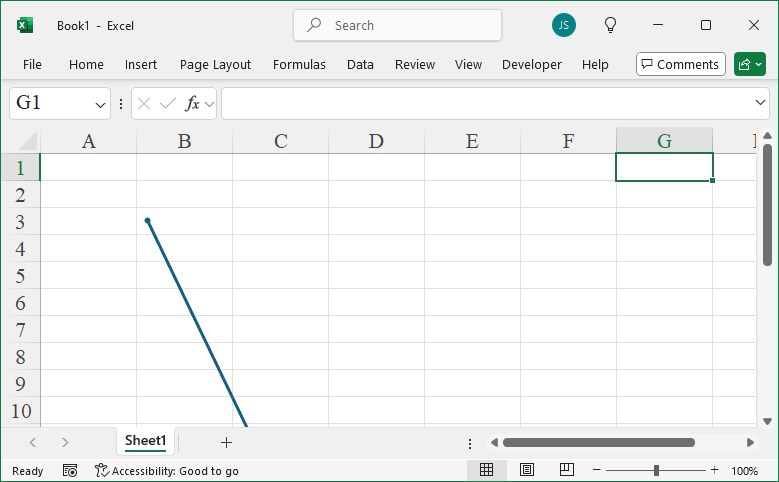
Leave a Reply