Archive

How To Use Evaluate Method Using xlwings?

Method

sht.Range(‘G7’).Value=app.api.Evaluate(‘=AVERAGE($A$1:$A$5)’)

Sample Code

# Use `Evaluate` method

import xlwings as xw    #Import the xlwings package
import os    #Import the os package

root = os.getcwd()    #Get the current path
#Create an Excel application window, visible, 
#without opening a workbook  
app=xw.App(visible=True, add_book=False)
#Open a data file, writable
bk=app.books.open(fullname=root+r'\Formula.xlsx',read_only=False)
sht=bk.api.Sheets(1)    #Get the worksheet

#Use `Evaluate` method
sht.Range('G7').Value=app.api.Evaluate('=AVERAGE($A$1:$A$5)')

bk.save('test.xlsx')
#bk.close()
#app.kill()
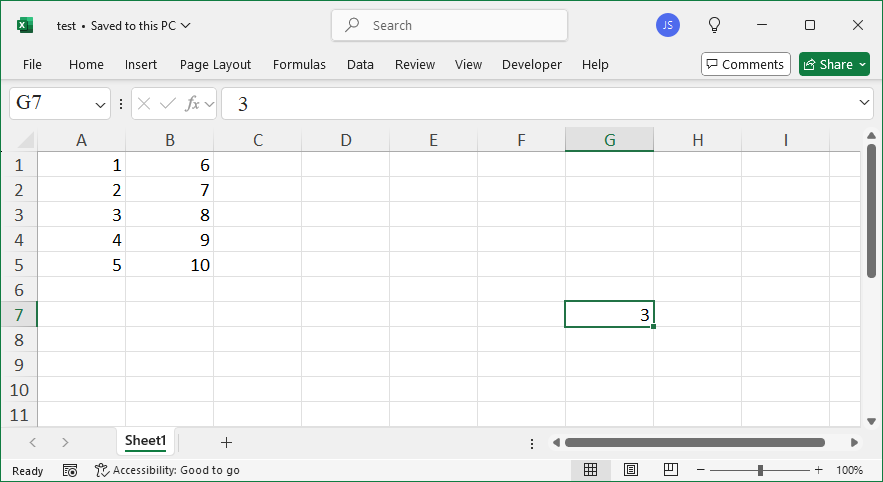
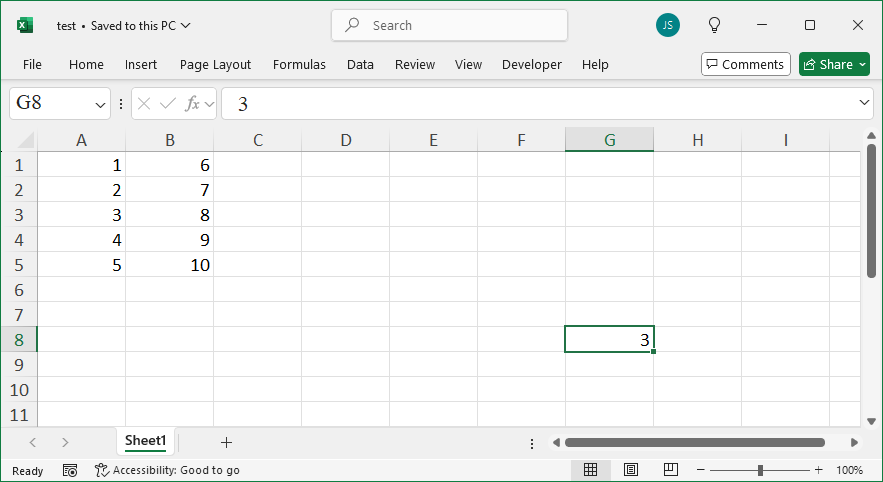
Use Evaluate Method Using xlwings

How To Use WorksheetFunction Property Using xlwings?

Method

sht.Range(‘G8’).Value=app.api.WorksheetFunction.Average(sht.Range(‘A1:A5’))

Sample Code

# Use the `WorksheetFunction` property

import xlwings as xw    #Import the xlwings package
import os    #Import the os package

root = os.getcwd()    #Get the current path
#Create an Excel application window, visible, 
#without opening a workbook  
app=xw.App(visible=True, add_book=False)
#Open a data file, writable
bk=app.books.open(fullname=root+r'\Formula.xlsx',read_only=False)
sht=bk.api.Sheets(1)    #Get the worksheet

#Use the `WorksheetFunction` property
sht.Range('G8').Value=app.api.WorksheetFunction.Average(sht.Range('A1:A5'))

bk.save('test.xlsx')
#bk.close()
#app.kill()
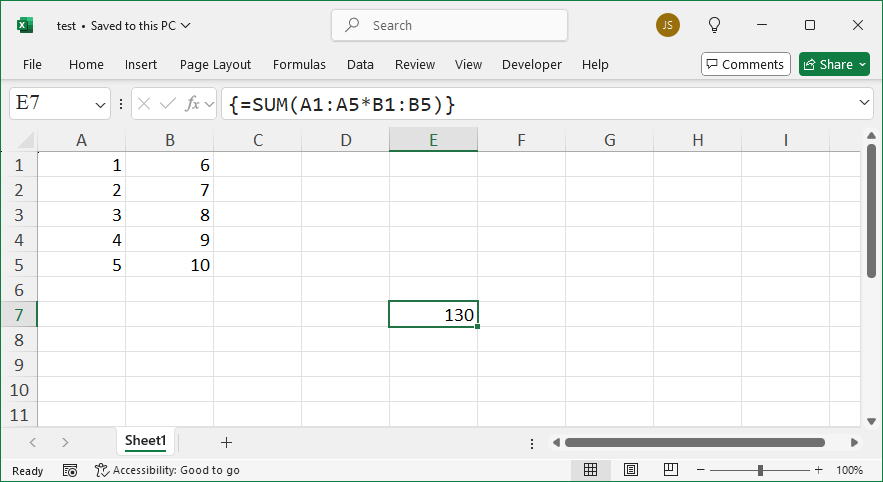
Use WorksheetFunction Property Using xlwings

How To Enter Array Formulas using FormulaArray Property Using xlwings?

Method

sht.Range(‘E7′).FormulaArray=’=SUM(A1:A5*B1:B5)’

Sample Code

# Use `FormulaArray` property for array formulas

import xlwings as xw    #Import the xlwings package
import os    #Import the os package

root = os.getcwd()    #Get the current path
#Create an Excel application window, visible, 
#without opening a workbook  
app=xw.App(visible=True, add_book=False)
#Open a data file, writable
bk=app.books.open(fullname=root+r'\Formula.xlsx',read_only=False)
sht=bk.api.Sheets(1)    #Get the worksheet

#Use `FormulaArray` property for array formulas
sht.Range('E7').FormulaArray='=SUM(A1:A5*B1:B5)'

bk.save('test.xlsx')
#bk.close()
#app.kill()
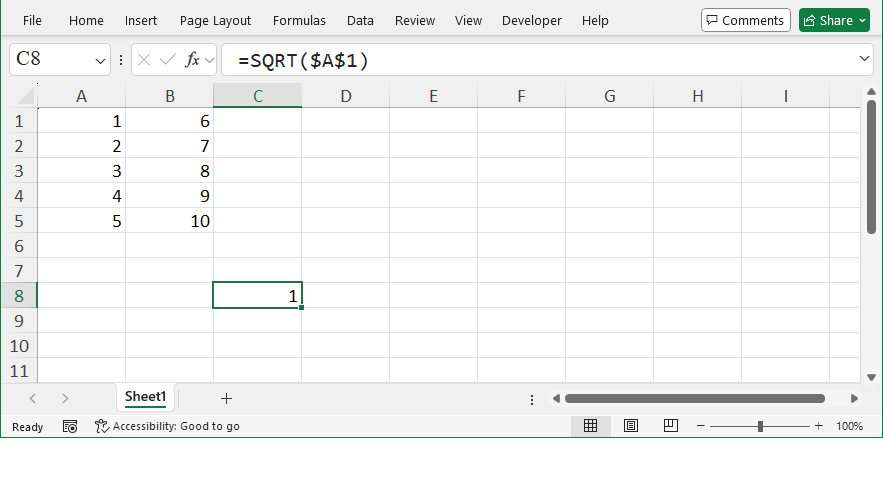
Enter Array Formulas using FormulaArray Property Using xlwings

How To Enter R1C1 Style Formulas using FormulaR1C1 Property Using xlwings?

Method

sht.Range(‘C8′).FormulaR1C1=’=SQRT(R1C1)’

Sample Code

# Use `FormulaR1C1` property for R1C1-style formulas

import xlwings as xw    #Import the xlwings package
import os    #Import the os package

root = os.getcwd()    #Get the current path
#Create an Excel application window, visible, 
#without opening a workbook  
app=xw.App(visible=True, add_book=False)
#Open a data file, writable
bk=app.books.open(fullname=root+r'\Formula.xlsx',read_only=False)
sht=bk.api.Sheets(1)    #Get the worksheet

#Use `FormulaR1C1` property for R1C1-style formulas
sht.Range('C8').FormulaR1C1='=SQRT(R1C1)'

bk.save('test.xlsx')
#bk.close()
#app.kill()
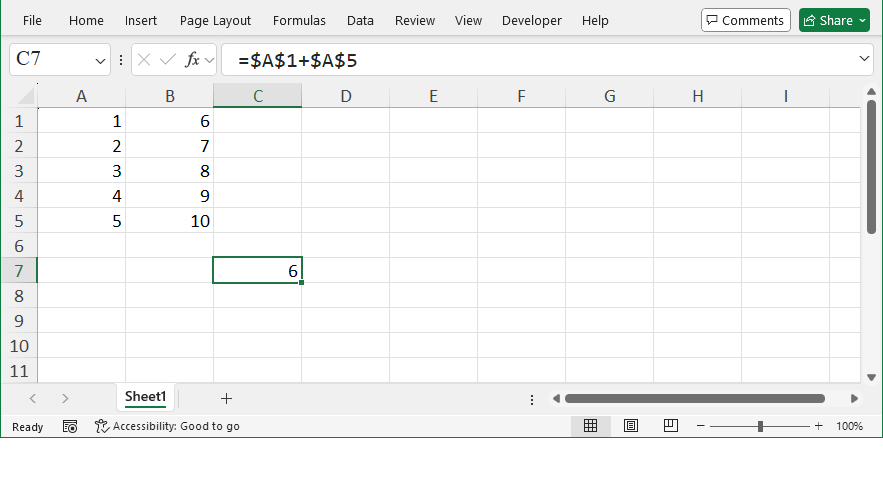
Enter R1C1 Style Formulas using FormulaR1C1 Property Using xlwings

How To Enter A1 Style Formulas using Formula Property Using xlwings?

Method

sht.Range(‘C7′).Formula=’=$A$1+$A$5’

Sample Code

# Use `Formula` property for A1-style formulas

import xlwings as xw    #Import the xlwings package
import os    #Import the os package

root = os.getcwd()    #Get the current path
#Create an Excel application window, visible, 
#without opening a workbook  
app=xw.App(visible=True, add_book=False)
#Open a data file, writable
bk=app.books.open(fullname=root+r'\Formula.xlsx',read_only=False)
sht=bk.api.Sheets(1)    #Get the worksheet

#Use `Formula` property for A1-style formulas
sht.Range('C7').Formula='=$A$1+$A$5'

bk.save('test.xlsx')
#bk.close()
#app.kill()
Enter A1 Style Formulas using Formula Property Using xlwings

How To Enter Regular Formulas Using xlwings?

Method

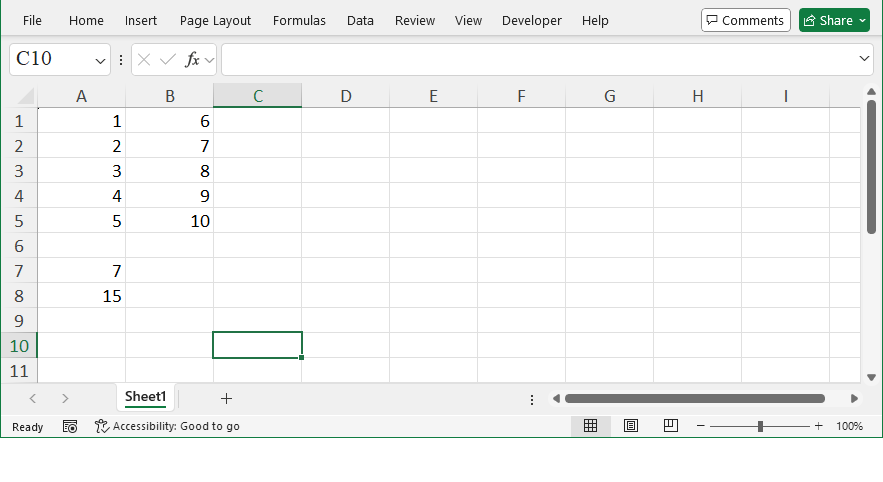
sht.Range(‘A7′).Value=’=A1*B2’

sht.Range(‘A8′).Value=’=SUM(A1:A5)’

Sample Code

#Adding Formulas - Regular Formulas

import xlwings as xw    #Import the xlwings package
import os    #Import the os package

root = os.getcwd()    #Get the current path
#Create an Excel application window, visible, 
#without opening a workbook  
app=xw.App(visible=True, add_book=False)
#Open a data file, writable
bk=app.books.open(fullname=root+r'\Formula.xlsx',read_only=False)
sht=bk.api.Sheets(1)    #Get the worksheet

#Enter regular formulas
sht.Range('A7').Value='=A1*B2'
sht.Range('A8').Value='=SUM(A1:A5)'

bk.save('test.xlsx')
#bk.close()
#app.kill()
Enter Regular Formulas Using xlwings