Method
RGB color shading defines a color using the red, green, and blue components. You can set RGB color shading using the `Color` property of graphical objects. If you’re accustomed to specifying RGB components to set the color, you can use the `rgb_to_int` method from the `xlwings.utils` class to convert an RGB tuple, such as (255, 0, 0), into an integer, which can then be assigned to the `Color` property.
shp=sht.api.Shapes.AddShape(9, 50, 50, 100, 100)
shp.Fill.ForeColor.RGB=xw.utils.rgb_to_int((0, 255,0))
shp.Line.ForeColor.RGB=xw.utils.rgb_to_int((0,0,255))
shp.Line.ForeColor.RGB=16711680 # or 0x0000FF
Sample Code
#Color - RGB

import xlwings as xw    #Import xlwings package

app=xw.App()
bk=app.books.active   #Get the active workbook
sht=bk.sheets.active    #Get the active worksheet

shp=sht.api.Shapes.AddShape(9, 50, 50, 100, 100)
#shp.Fill.ForeColor.RGB=xw.utils.rgb_to_int((0, 255,0))
shp.Line.ForeColor.RGB=xw.utils.rgb_to_int((0,0,255))

shp.Fill.ForeColor.RGB=0x0000FF    # or 16711680

#bk.save()
#bk.close()
#app.kill()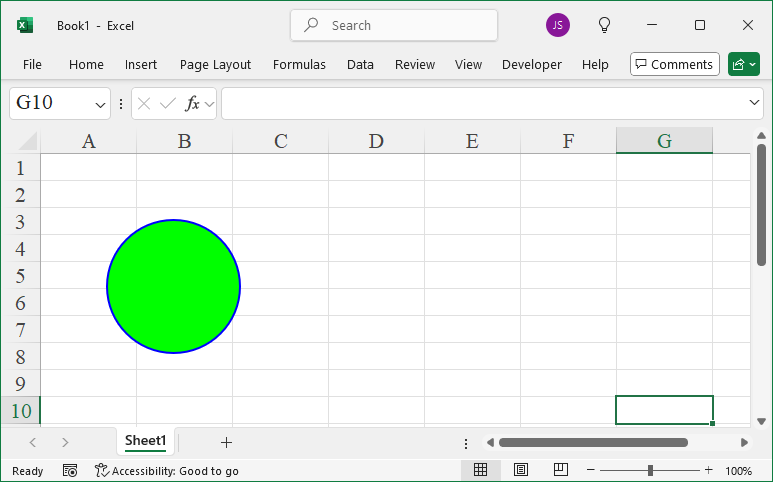
Leave a Reply