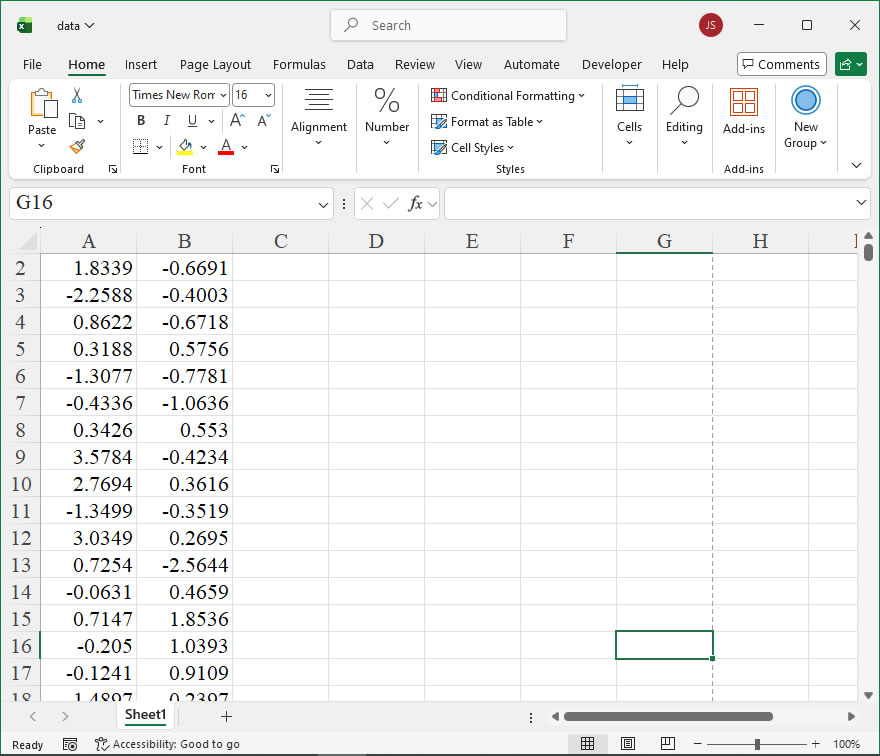
【Example】
【Code】
import xlwings as xw
import numpy as np
import os

def set_style(cht):
    cht.ChartArea.Format.Line.Visible=False
    cht.PlotArea.Format.Fill.Visible = False
    cht.PlotArea.Format.Line.Visible = True
    cht.PlotArea.Format.Line.ForeColor.RGB=xw.utils.rgb_to_int((200,200,200))
    #cht.PlotArea.Format.Line.ForeColor.ObjectThemeColor = msoThemeColorText1
    ax1 = cht.Axes(1)
    ax2 = cht.Axes(2)
    ax1.HasTitle = True
    ax1.AxisTitle.Text = 'Values'
    ax1.AxisTitle.Font.Size = 10
    ax1.TickLabels.Font.Size = 8
    #ax1.TickLabels.NumberFormat = '0.00'
    ax1.HasMajorGridlines = True
    ax2.HasTitle = True
    ax2.AxisTitle.Text = 'Probability'
    ax2.AxisTitle.Font.Size = 10
    ax2.TickLabels.Font.Size = 8
    ax2.HasMajorGridlines = True
    cht.HasTitle = True
    cht.ChartTitle.Caption = 'KDE Plot'
    cht.ChartTitle.Font.Size = 12

def draw_kde(cht,data,y,r,g,b,minx,maxx):
    '''
    rng: 数据单元格区域
    'cht: 图表对象
    'dblX: 横坐标
    '''
    kdex=[0 for _ in range(180)]
    kdef=[0 for _ in range(180)]
    step=(maxx-minx)/180
    for i in range(180):
        kdex[i]=minx+i*step
        kdef[i]=y+kde(data,kdex[i],1.5)

    cht.SeriesCollection().NewSeries()

    #画填充多边形
    pt=[[0 for _ in range(2)] for _ in range(183)]
    for i in range(180):
        pt[i][0]=shape_x(cht,kdex[179-i])
        pt[i][1]=shape_y(cht,kdef[179-i])
    pt[180][0]=pt[179][0]
    pt[180][1]=shape_y(cht,0)
    pt[181][0]=pt[0][0]
    pt[181][1]=shape_y(cht,0)
    pt[182][0]=pt[0][0]
    pt[182][1]=pt[0][1]

    shp=cht.Shapes.AddPolyline(pt)
    shp.Fill.ForeColor.RGB=xw.utils.rgb_to_int((r,g,b))
    shp.Fill.OneColorGradient(1,1,1)
    shp.Fill.Transparency=0.5
    shp.Line.ForeColor.RGB=xw.utils.rgb_to_int((r,g,b))
    shp.Line.Weight=1.5

def kde(data,x,h):
  #一元核密度估计
  my_sum=0
  count=0
  for i in data:
      my_sum+=(1/np.sqrt(2*3.1415926))*\
      np.exp(-0.5*((x-i)/h)*((x-i)/h))
      count+=1
  return my_sum/count/h

root=os.getcwd()
app=xw.App(visible=True,add_book=False)
wb=app.books.open(root+r'/data.xlsx',read_only=False)
sht=wb.sheets('Sheet1')
data1=sht.range('A1:A100').value
data2=sht.range('B1:B100').value
app.kill()

#从comtypes包中导入CreateObject函数
from comtypes.client import CreateObject
app2=CreateObject("Excel.Application")  #创建Excel应用
app2.Visible=True  #应用窗口可见
app2.ScreenUpdating=False
wb2=app2.Workbooks.Open(root+r'/data.xlsx')  #添加工作簿
sht2=wb2.Sheets('Sheet1')  #获取第1个工作表

shp=sht2.Shapes.AddChart2()
shp.Left=20
cht=shp.Chart  #添加图表
cht.ChartType=-4169
ax1=cht.Axes(1)
ax2=cht.Axes(2)
ax1.MinimumScale=-10
ax1.MaximumScale=10
ax2.MinimumScale=0
ax2.MaximumScale=0.3
ax1.CrossesAt=ax1.MinimumScale
ax2.CrossesAt=ax2.MinimumScale

set_style(cht)

#绘制核密度估计曲线图
draw_kde(cht,data1,0,0,0,255,-10,10)
draw_kde(cht,data2,0,255,128,0,-10,10)

app2.ScreenUpdating=True

cht.Export(root+'/cht.jpg')
cht.Export(root+'/cht.svg')
cht.ExportAsFixedFormat(0,root+'/cht.pdf')

#wb2.Save()
#os.system('taskkill /f /im EXCEL.EXE')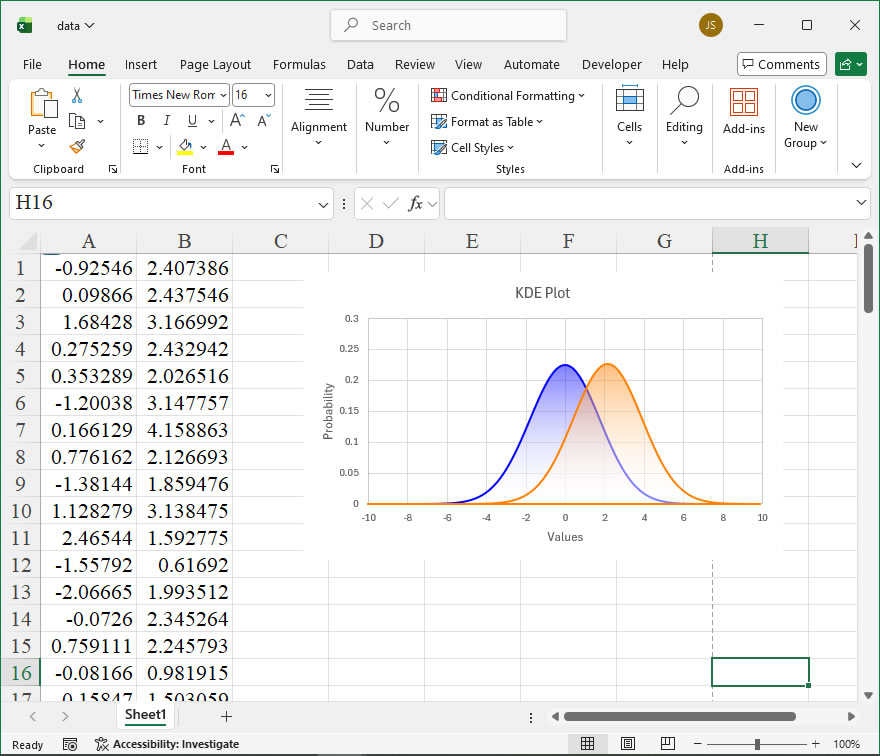
Leave a Reply