Method
Use the `AddCallout` method of the `Shapes` object to add a callout. The syntax is:
sht.api.Shapes.AddCallout(Type,Left,Top,Width,Height)
Where `sht` represents a worksheet object. The parameters are explained in the table below. This method returns a `Shape` object representing the callout.
The `Type` parameter values are from the `MsoCalloutType` enumeration, which specifies the type of the callout line.
|
Name |
Value |
Description |
|
msoCalloutFour |
4 |
A callout line composed of two segments, attached to the right of the text box |
|
msoCalloutMixed |
-2 |
A mixed combination of states |
|
msoCalloutOne |
1 |
A single-segment horizontal callout line |
|
msoCalloutThree |
3 |
A callout line composed of two segments, attached to the left of the text box |
|
msoCalloutTwo |
2 |
A single-segment angled callout line |
shp=sht.api.Shapes.AddCallout(2, 10, 10, 100, 50)
shp.TextFrame2.TextRange.Characters.Text=’Test Box’
Sample Code
#Assign a formula as a name

import xlwings as xw    #Import the xlwings package
import os    #Import the os package

root = os.getcwd()    #Get the current path
#Create an Excel application window, visible,
#without opening a workbook
app=xw.App()
bk=app.books.active
sht=bk.api.Sheets(1)    #Get the worksheet

#Assign a formula as a name
sht.Range('A1:C3').Value=10
sht.Names.Add(Name='SM',RefersTo='=SUM($A$1:$C$3)')
sht.Range('D4').Formula='=SM+3'

#bk.save()
#bk.close()
#app.kill()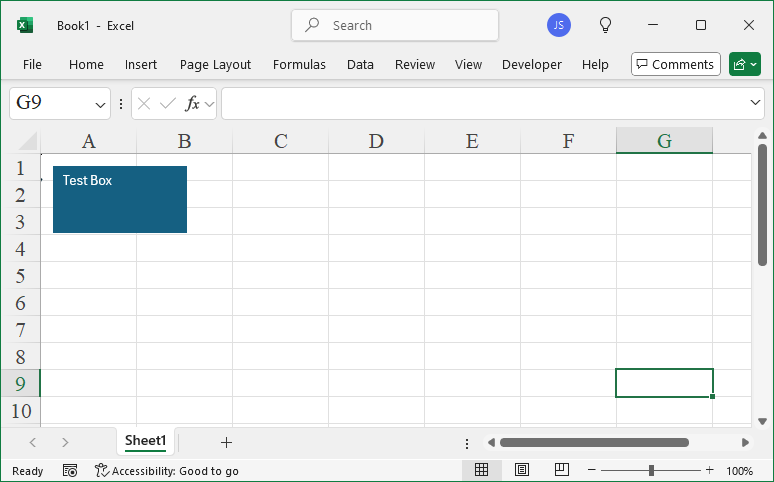
Leave a Reply