Flowing these steps to create bivariate KDE surface and contour chart:

First, select data in the worksheet.

Click “Bivarate KDE Surface and Contour” item in “KDE Chart” menu in xlChart+ add-in, open “Bivariate KDE Chart” dialog box. Input “B2:B1001” in “Data Range of Y” textbox.
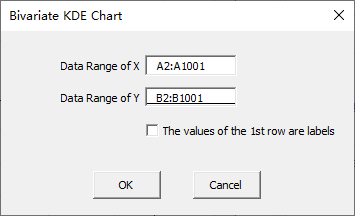
Click “OK” button.

Leave a Reply