Method
Use the `AddShape` method of the Shapes object to create rectangles, rounded rectangles, ellipses, and circles.
|
Name |
Value |
Description |
|
msoShapeRectangle |
1 |
Rectangle |
|
msoShapeRoundedRectangle |
5 |
Rounded Rectangle |
|
msoShapeOval |
9 |
Ellipse |
sht.api.Shapes.AddShape(1, 50, 50, 100, 200) #Draw a rectangle face
sht.api.Shapes.AddShape(5, 100, 100, 100, 200) #Draw a rounded rectangle face
sht.api.Shapes.AddShape(9, 150, 150, 100, 200) #Draw an ellipse face
sht.api.Shapes.AddShape(9, 200, 200, 100, 100) #Draw a circle face
shp1=sht.api.Shapes.AddShape(1, 250, 50, 100, 200) #Draw a rectangle
shp2=sht.api.Shapes.AddShape(5, 300, 100, 100, 200) #Draw a rounded rectangle
shp3=sht.api.Shapes.AddShape(9, 350, 150, 100, 200) #Draw an ellipse
shp4=sht.api.Shapes.AddShape(9, 400, 200, 100, 100) #Draw a circle
shp1.Fill.Visible=False
shp2.Fill.Visible=False
shp3.Fill.Visible=False
shp4.Fill.Visible=False
Sample Code
#Copy and paste formulas

import xlwings as xw    #Import the xlwings package
from xlwings import constants as con
import os    #Import the os package

root = os.getcwd()    #Get the current path
#Create an Excel application window, visible,
#without opening a workbook
app=xw.App(visible=True, add_book=False)
#Open a data file, writable
bk=app.books.open(fullname=root+r'\Formula2.xlsx',read_only=False)
sht=bk.api.Sheets(1)    #Get the worksheet

#Copy and paste formulas
sht.Range('B3:E5').Copy()
sht.Range('D7:G9').PasteSpecial(Paste=con.PasteType.xlPasteFormulas)

#bk.save()
#bk.close()
#app.kill()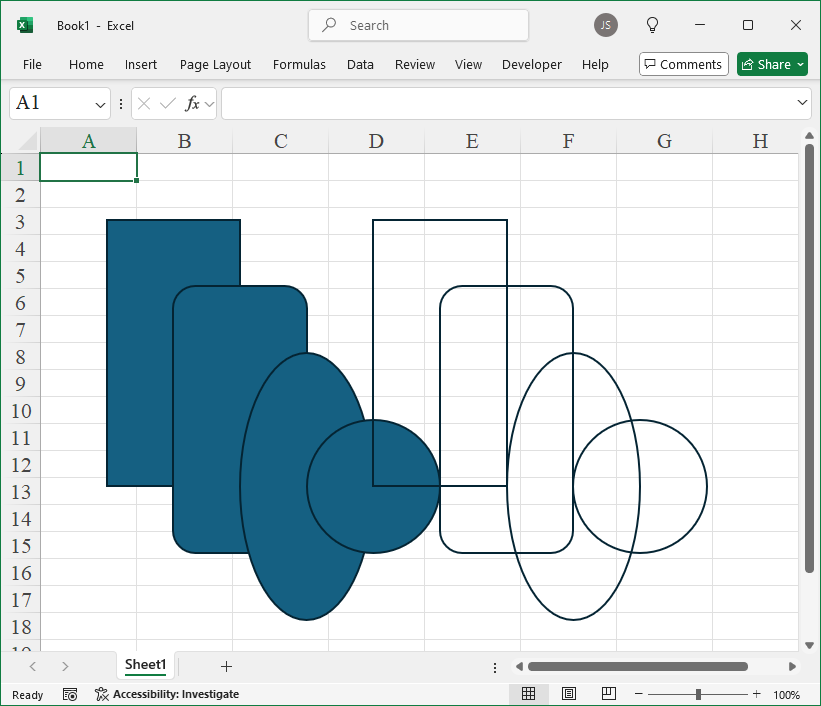
Leave a Reply