Method
Use the `AddLine` method of the Shapes object to create a line segment. The method syntax is:
sht.api.Shapes.AddLine(BeginX, BeginY, EndX, EndY)
Where `sht` refers to a worksheet object. The parameters `BeginX, BeginY` represent the coordinates of the starting point, and `EndX, EndY` represent the coordinates of the endpoint. This method returns a Shape object representing the line segment.
shp=sht.api.Shapes.AddLine(10,10,250,250) #Create a line segment `Shape` object
ln=shp.Line #Get the line shape object
#Set properties of the line shape object: line style, color, and width
ln.DashStyle=3
ln.ForeColor.RGB=xw.utils.rgb_to_int((255, 0, 0))
ln.Weight=5
Sample Code
#Check if a specified cell range contains a formula

import xlwings as xw    #Import the xlwings package
import os    #Import the os package

root = os.getcwd()    #Get the current path
#Create an Excel application window, visible,
#without opening a workbook
app=xw.App(visible=True, add_book=False)
#Open a data file, writable
bk=app.books.open(fullname=root+r'\Formula2.xlsx',read_only=False)
sht=bk.api.Sheets(1)    #Get the worksheet

#Check if a specified cell range contains a formula
rng=sht.Range('B3:E5')
for cell in rng:
    if cell.HasFormula==True:
        print(cell.Row,cell.Column,'Yes')

#bk.save()
#bk.close()
#app.kill()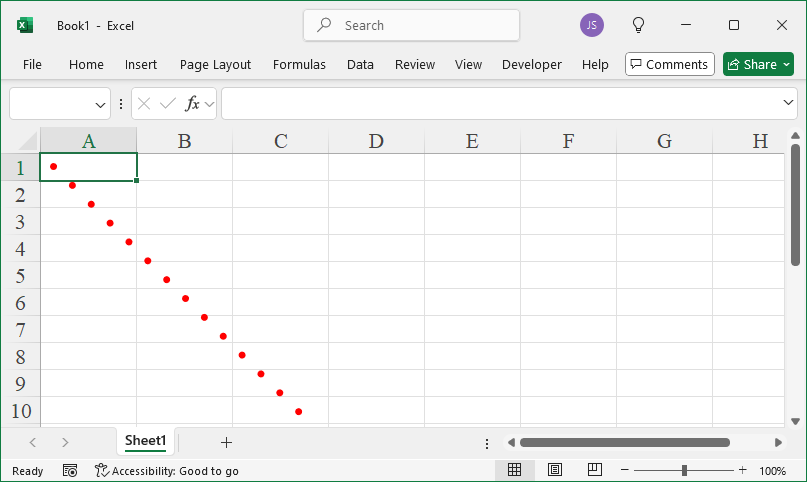
Leave a Reply