Archive

How To Get Rows/Columns/Top-Left/Bottom-Right/Shape/Size of a Range Using xlwings?

Method

Row count and column count

#xlwings

sht.used_range.rows.count

#sht.used_range.columns.count


#xlwings API

#sht.api.UsedRange.Rows.Count

#sht.api.UsedRange.Columns.Count


Top-left corner coordinates

#xlwings

#sht.used_range.row

#sht.used_range.column


#xlwings API

#sht.api.UsedRange.Row

#sht.api.UsedRange.Column


Bottom-right corner coordinates

#xlwings

#sht.used_range.last_cell.row

#sht.used_range.last_cell.column


#xlwings API

#rng=sht.api.UsedRange

#rng.Rows(rng.Rows.Count).Row

#rng.Columns(rng.Columns.Count).Column


Shape

#xlwings

#sht.used_range.shape


Size

#xlwings

#sht.used_range.size

Sample Code

#Properties of Cell Ranges

import xlwings as xw    #Import the xlwings package

app=xw.App()
bk=app.books.open('current.xlsx')
sht=bk.sheets.active    #Get the active worksheet

#Row count and column count
#xlwings
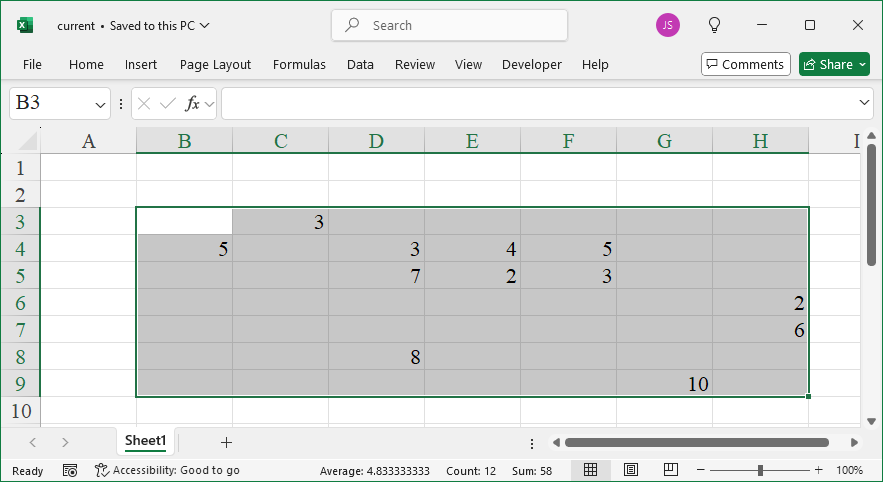
sht.used_range.select()
print(sht.used_range.rows.count)
#sht.used_range.columns.count

#xlwings API
#sht.api.UsedRange.Rows.Count
#sht.api.UsedRange.Columns.Count

#Top-left corner coordinates
#xlwings
#sht.used_range.row
#sht.used_range.column

#xlwings API
#sht.api.UsedRange.Row
#sht.api.UsedRange.Column

#Bottom-right corner coordinates
#xlwings
#sht.used_range.last_cell.row
#sht.used_range.last_cell.column

#xlwings API
#rng=sht.api.UsedRange
#rng.Rows(rng.Rows.Count).Row
#rng.Columns(rng.Columns.Count).Column

#Shape
#xlwings
print(sht.used_range.shape)

#Size
#xlwings
print(sht.used_range.size)

#bk.close()
#app.kill()
How To Reference Special Cells Using xlwings?

Method

#xlwings API

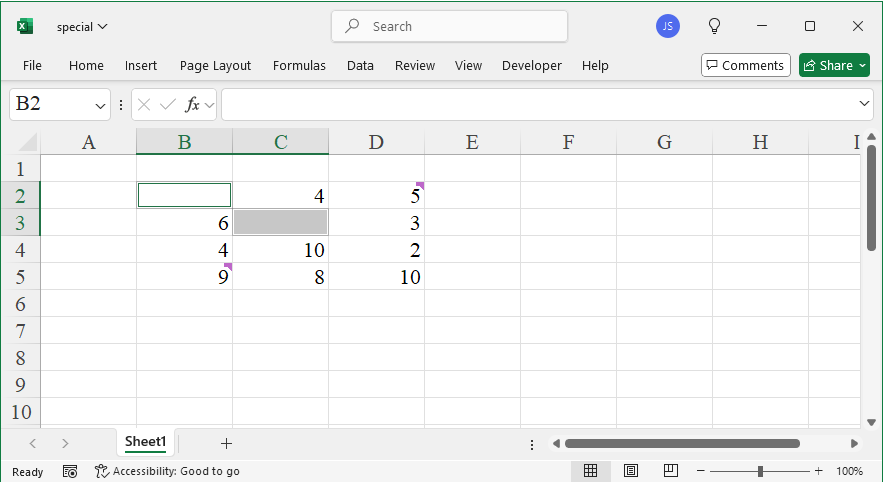
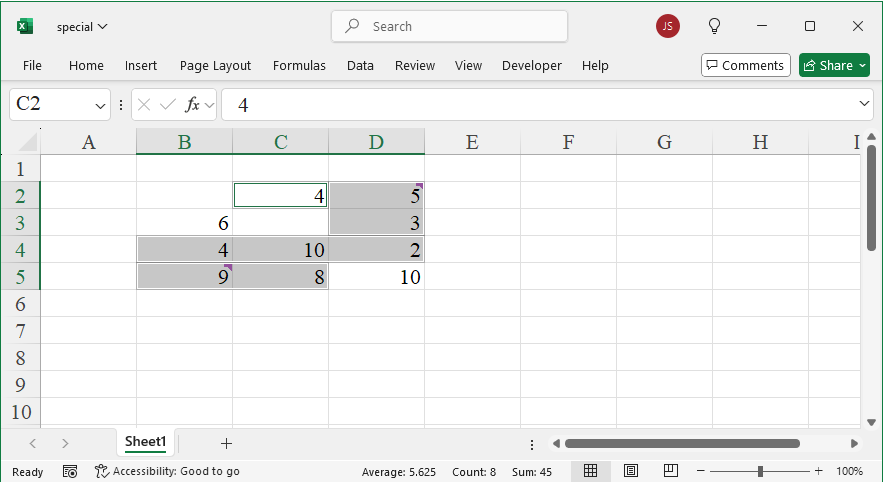
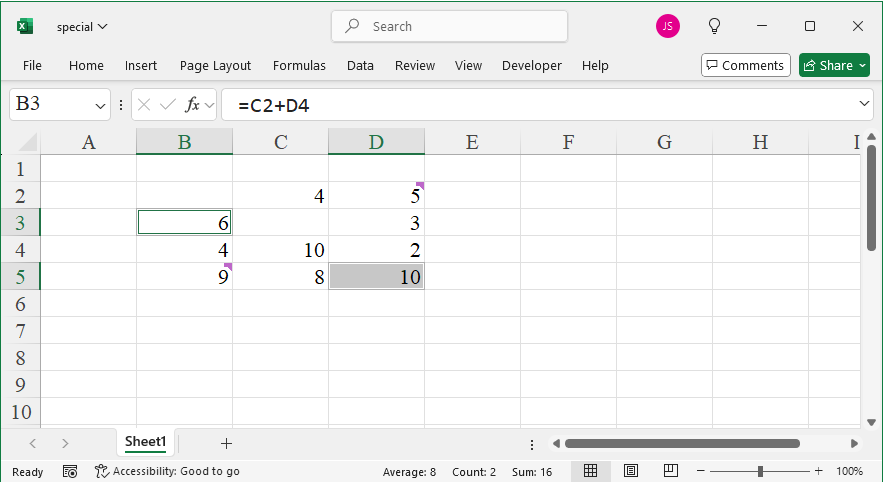
sht.api.Range(‘A1’).CurrentRegion.SpecialCells(xw.constants.CellType.xlCellTypeBlanks).Select()

sht.api.Range(‘B2’).CurrentRegion.SpecialCells(\

    xw.constants.CellType.xlCellTypeBlanks).Select()

#sht.api.Range(‘B2’).CurrentRegion.SpecialCells(\

#    xw.constants.CellType.xlCellTypeConstants).Select()

#sht.api.Range(‘B2’).CurrentRegion.SpecialCells(\

#    xw.constants.CellType.xlCellTypeFormulas).Select()


#xlCellTypeComments    #Cells with annotations

#xlCellTypeConstants    #Cells with data

#xlCellTypeFormulas    #Cells with formatting


RangeObject.SpecialCells(Type,Value)

Name

Value

Description

xlCellTypeAllFormatConditions

-4172

Cells with any format conditions

xlCellTypeAllValidation

-4174

Cells with validation conditions

xlCellTypeBlanks

4

Empty cells

xlCellTypeComments

-4144

Cells with comments

xlCellTypeConstants

2

Cells containing constants

xlCellTypeFormulas

-4123

Cells containing formulas

xlCellTypeLastCell

11

The last cell in the used range

xlCellTypeSameFormatConditions

-4173

Cells with the same format conditions

xlCellTypeSameValidation

-4175

Cells with the same validation

xlCellTypeVisible

12

All visible cells

Sample Code

#Reference special cells

import xlwings as xw    #Import the xlwings package

app=xw.App()
bk=app.books.open('special.xlsx')    #Get the active workbook
sht=bk.sheets.active    #Get the active worksheet

#xlwings API
sht.api.Range('B2').CurrentRegion.SpecialCells(\
    xw.constants.CellType.xlCellTypeBlanks).Select()
#sht.api.Range('B2').CurrentRegion.SpecialCells(\
#    xw.constants.CellType.xlCellTypeConstants).Select()
#sht.api.Range('B2').CurrentRegion.SpecialCells(\
#    xw.constants.CellType.xlCellTypeFormulas).Select()

#xlCellTypeComments    #Cells with annotations
#xlCellTypeConstants    #Cells with data
#xlCellTypeFormulas    #Cells with formatting

#bk.close()
#app.kill()
Reference Special Cells Using xlwings

How To Reference the Last Row or Column Using xlwings?

Method

Last row

#xlwings

sht.range(‘A1’).end(‘down’).select()

sht.range(‘A1’).end(‘down’).row

#sht.cells(1,1).end(‘down’).row

#sht.range(‘A’+str(sht.api.Rows.Count)).end(‘up’).row

#sht.cells(sht.api.Rows.Count,1).end(‘up’).row


#xlwings API

#sht.api.Range(‘A1’).End(xw.constants.Direction.xlDown).Row

#sht.api.Cells(1,1).End(xw.constants.Direction.xlDown).Row

#sht.api.Range(‘A’+str(sht.api.Rows.Count)).End(xw.constants.Direction.xlUp).Row

#sht.api.Cells(sht.api.Rows.Count,1).End(xw.constants.Direction.xlUp).Row


Last column

#xlwings

#sht.range(‘A1’).end(‘right’).column

#sht.cells(1,1).end(‘right’).column

#sht.cells(1,sht.api.Columns.Count).end(‘left’).column


#xlwings API

#sht.api.Range(‘A1’).End(xw.constants.Direction.xlToRight).Column

#sht.api.Cells(1,1).End(xw.constants.Direction.xlToRight).Column

#sht.api.Cells(1,sht.api.Columns.Count).End(xw.constants.Direction.xlToLeft).Column

Sample Code

#Referencing the Last Row or Column

import xlwings as xw    #Import the xlwings package

app=xw.App()
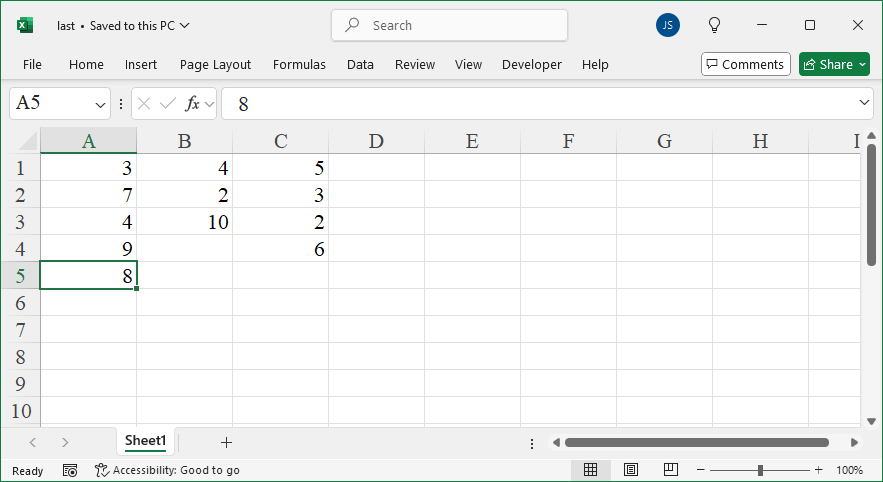
bk=app.books.open('last.xlsx')    #Get the active workbook
sht=bk.sheets.active    #Get the active worksheet

#Last row
#xlwings
sht.range('A1').end('down').select()
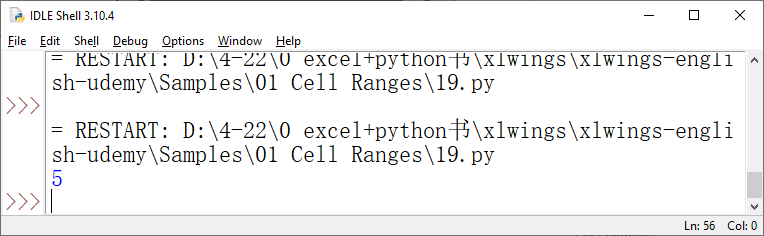
print(sht.range('A1').end('down').row)
#sht.cells(1,1).end('down').row
#sht.range('A'+str(sht.api.Rows.Count)).end('up').row
#sht.cells(sht.api.Rows.Count,1).end('up').row

#xlwings API
#sht.api.Range('A1').End(xw.constants.Direction.xlDown).Row
#sht.api.Cells(1,1).End(xw.constants.Direction.xlDown).Row
#sht.api.Range('A'+str(sht.api.Rows.Count)).End(xw.constants.Direction.xlUp).Row
#sht.api.Cells(sht.api.Rows.Count,1).End(xw.constants.Direction.xlUp).Row

#Last column
#xlwings
#sht.range('A1').end('right').column
#sht.cells(1,1).end('right').column
#sht.cells(1,sht.api.Columns.Count).end('left').column

#xlwings API
#sht.api.Range('A1').End(xw.constants.Direction.xlToRight).Column
#sht.api.Cells(1,1).End(xw.constants.Direction.xlToRight).Column
#sht.api.Cells(1,sht.api.Columns.Count).End(xw.constants.Direction.xlToLeft).Column

#bk.close()
#app.kill()
Reference the Last Row or Column Using xlwings

How To Expand the Reference to Cell Ranges in the Current Worksheet Using xlwings?

Method

#xlwings

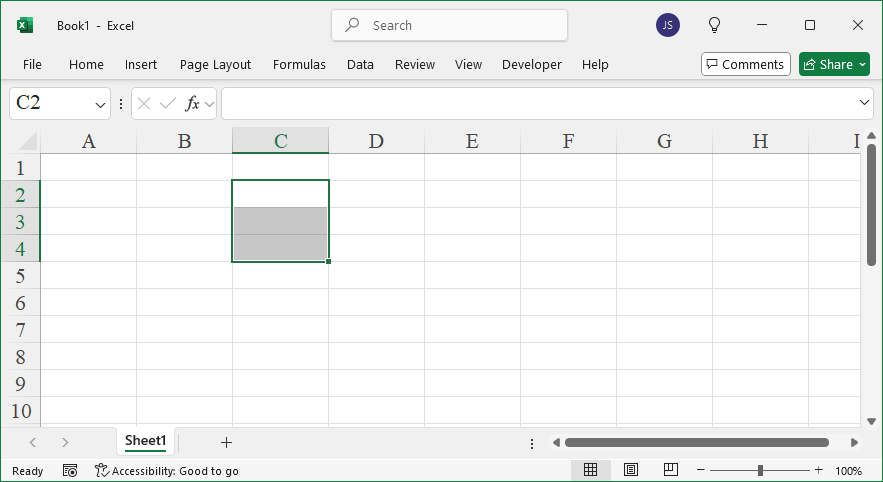
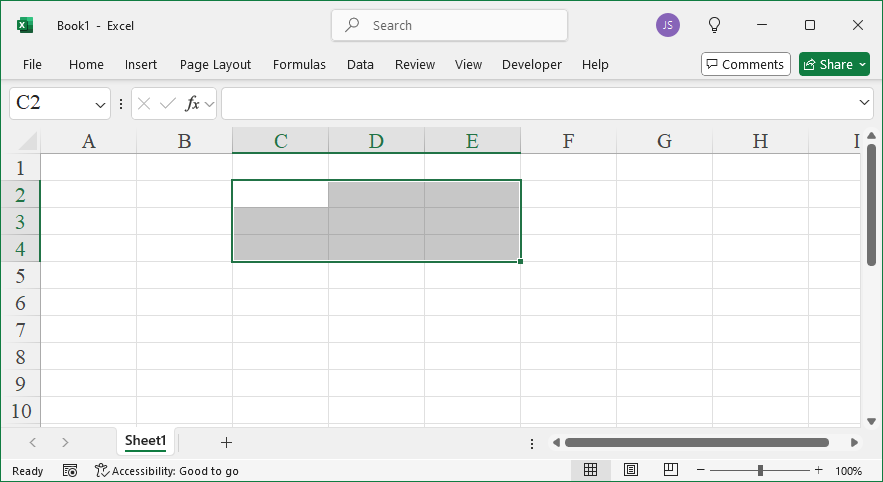
sht.range(‘C2’).resize(3).select()     #Create a cell range C2:C4

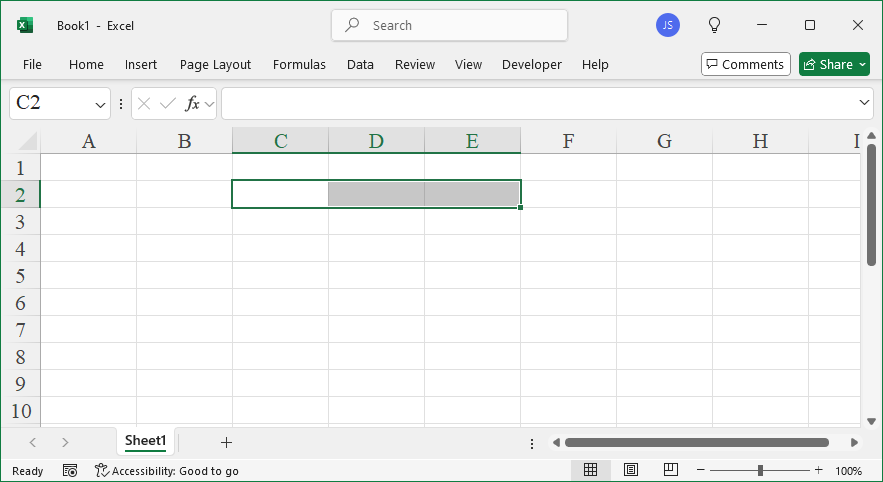
#sht.range(‘C2’).resize(1, 3).select()    #Create a cell range C2:E2

#sht.range(‘C2’).resize(3, 3).select()    #Create a cell range C2:E4


#expand method

#sht.range(‘C4’).expand(‘table’).select()

#sht.range(‘C4’).expand().select()    #Equivalent to the method above

#sht.range(‘C4’).expand(‘down’).select()

#sht.range(‘C4’).expand(‘right’).select()


#xlwings API

#sht.api.Range(‘C2’, sht.api.Range(‘C2’).Resize(3)).Select()

#sht.api.Range(‘C2’, sht.api.Range(‘C2’).Resize(1, 3)).Select()

#sht.api.Range(‘C2’, sht.api.Range(‘C2’).Resize(3, 3)).Select()

Sample Code

#Expand the reference to the current worksheet's cell range

import xlwings as xw    #Import the xlwings package

app=xw.App()
bk=app.books.active    #Get the active workbook
sht=bk.sheets.active    #Get the active worksheet

#xlwings
sht.range('C2').resize(3).select()     #Create a cell range C2:C4
#sht.range('C2').resize(1, 3).select()    #Create a cell range C2:E2
#sht.range('C2').resize(3, 3).select()    #Create a cell range C2:E4

#expand method
#sht.range('C4').expand('table').select()
#sht.range('C4').expand().select()    #Equivalent to the method above
#sht.range('C4').expand('down').select()
#sht.range('C4').expand('right').select()

#xlwings API
#sht.api.Range('C2', sht.api.Range('C2').Resize(3)).Select()
#sht.api.Range('C2', sht.api.Range('C2').Resize(1, 3)).Select()
#sht.api.Range('C2', sht.api.Range('C2').Resize(3, 3)).Select()

#bk.close()
#app.kill()
Expand the Reference to Cell Ranges in the Current Worksheet Using xlwings

How To Reference a Set of Cell Ranges Using xlwings?

Method

#xlwings API

#Union of two cell ranges

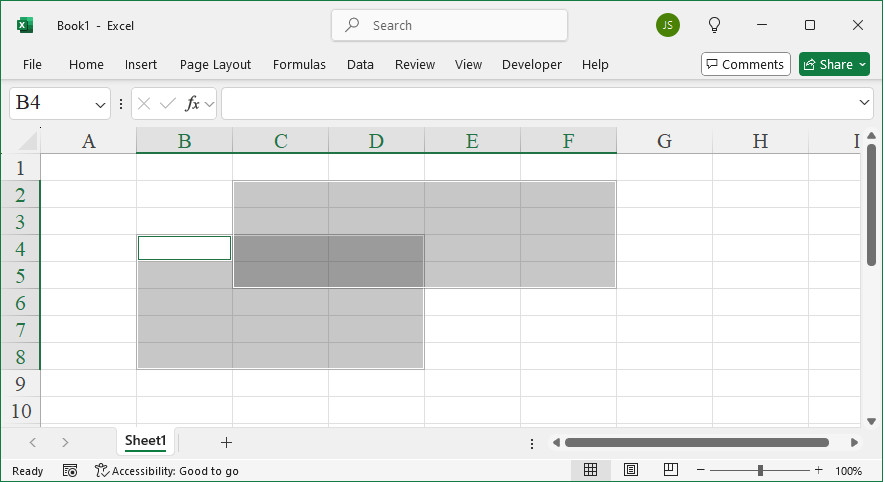
app.api.Union(sht.api.Range(‘B4:D8’), sht.api.Range(‘C2:F5’)).Select()

#Intersect of two cell ranges

#app.api.Intersect(sht.api.Range(‘B4:D8’), sht.api.Range(‘C2:F5’)).Select()

Sample Code

#Set Operations of 2 Cell Ranges

import xlwings as xw    #Import the xlwings package

app=xw.App()
bk=app.books.active    #Get the active workbook
sht=bk.sheets.active    #Get the active worksheet

#xlwings API
#Union of two cell ranges
#app.api.Union(sht.api.Range('B4:D8'), sht.api.Range('C2:F5')).Select()
#Intersect of two cell ranges
app.api.Intersect(sht.api.Range('B4:D8'), sht.api.Range('C2:F5')).Select()

#bk.close()
#app.kill()
Reference a Set of Cell Ranges Using xlwings

How To Reference the Used Range of a Worksheet Using xlwings?

Method

#xlwings

sht.used_range.select()


#xlwings API

#sht.api.UsedRange.Select()

Sample Code

#Reference the used range of a worksheet

import xlwings as xw    #Import the xlwings package

app=xw.App()
bk=app.books.open('current.xlsx')    #Get the active workbook
sht=bk.sheets.active    #Get the active worksheet

#xlwings
sht.used_range.select()

#xlwings API
#sht.api.UsedRange.Select()

#bk.close()
#app.kill()
Reference the Used Range of a Worksheet Using xlwings