【Example】
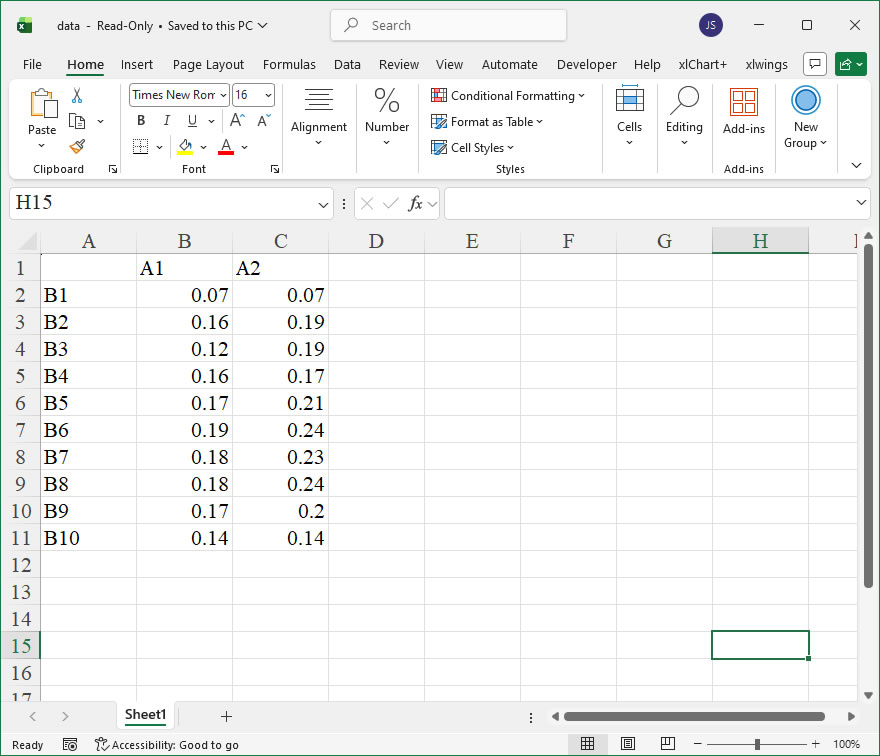
【Code】
import xlwings as xw
import os

def set_style(cht):
    cht.ChartArea.Format.Line.Visible=False
    cht.PlotArea.Format.Fill.Visible=False
    cht.PlotArea.Format.Line.Visible=True
    cht.PlotArea.Format.Line.ForeColor.RGB=xw.utils.rgb_to_int((200,200,200))
    #cht.PlotArea.Format.Line.ForeColor.ObjectThemeColor = msoThemeColorText1
    ax1=cht.Axes(1)
    ax2=cht.Axes(2)
    ax1.HasTitle=True
    ax1.AxisTitle.Text='Categories'
    ax1.AxisTitle.Font.Size=10
    ax1.TickLabels.Font.Size=8
    #ax1.TickLabels.NumberFormat='0.00'
    ax1.HasMajorGridlines=False
    ax2.HasTitle=True
    ax2.AxisTitle.Text='Values'
    ax2.AxisTitle.Font.Size=10
    ax2.TickLabels.Font.Size=8
    ax2.HasMajorGridlines=False
    cht.HasTitle=True
    #cht.ChartTitle.Caption='Plot'
    #cht.ChartTitle.Font.Size=12

root=os.getcwd()
app=xw.App(visible=True,add_book=False)
wb=app.books.open(root+r'/data.xlsx',read_only=False)
sht=wb.sheets('Sheet1')

sht.api.Range('A2:B7').Select()  #数据
shp=sht.api.Shapes.AddChart2(-1,xw.constants.ChartType.xlColumnClustered,20,20,350,250,True)
cht=shp.Chart  #添加图表
shadow=cht.SeriesCollection(1).Format.Shadow
shadow.Type=21
shadow.Visible=True
shadow.Style=2    #msoShadowStyleOuterShadow
shadow.Blur=4
shadow.OffsetX=4.9497474683
shadow.OffsetY=4.9497474683
shadow.RotateWithShape=False
shadow.ForeColor.RGB=xw.utils.rgb_to_int((0,0,0))
shadow.Transparency=0.599999994
shadow.Size=100

sht.api.Range('A2:C11').Select()  #数据
shp2=sht.api.Shapes.AddChart2(-1, xw.constants.ChartType.xlLine, 30, 20, 350, 250, True)
cht2=shp2.Chart  #添加图表
cht2.SeriesCollection(1).Format.Shadow.Type=24
cht2.SeriesCollection(2).Format.Shadow.Type=24

set_style(cht)

cht.Export(root+'/cht.jpg')
cht.Export(root+'/cht.svg')
cht.ExportAsFixedFormat(0,root+'/cht.pdf')
cht2.Export(root+'/cht2.jpg')
cht2.Export(root+'/cht2.svg')
cht2.ExportAsFixedFormat(0,root+'/cht2.pdf')

#wb.save()
#app.kill()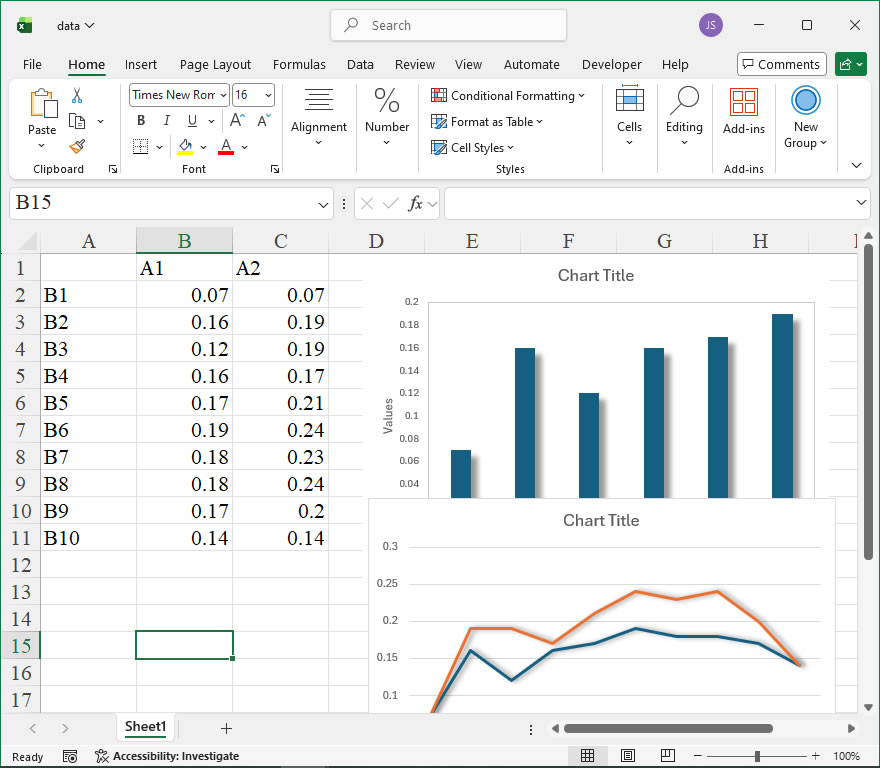
Leave a Reply