【Method】
Use the **HasTitle** property of the **Axis** object to set whether the axis title is displayed, and the **AxisTitle** property to set the text content of the axis title. Note that the **HasTitle** property must be set to `True` before the **AxisTitle** property can be set. The **AxisTitle** property returns an **AxisTitle** object, which you can use to set the title text and font for the axis.
sht.api.Range(‘A1:B7’).Select() #Data
cht=sht.api.Shapes.AddChart().Chart #Add chart
axs=cht.Axes(1) #Horizontal axis
axs2=cht.Axes(2) #Vertical axis
axs.HasTitle=True #Horizontal axis has title
axs.AxisTitle.Caption=’X Axis Title’ #Title text
axs.AxisTitle.Font.Italic=True #Italic font
axs.AxisTitle.Font.Color=xw.utils.rgb_to_int((255,0,0)) #Red
axs2.HasTitle=True #Vertical axis has title
axs2.AxisTitle.Caption=’Y Axis Title’ #Title text
axs2.AxisTitle.Font.Bold=True #Bold font
【Example】
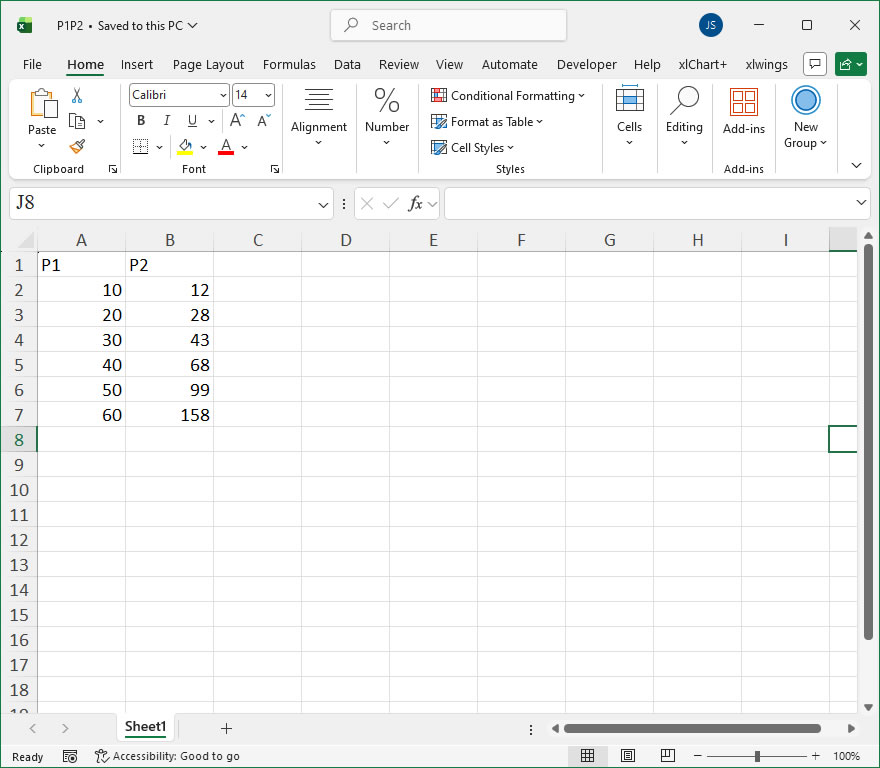
【Code】
#Axis Titles

import xlwings as xw
import os

root = os.getcwd()
app = xw.App(visible=True, add_book=False)
wb=app.books.open(root+r'/P1P2.xlsx',read_only=False)
sht=wb.sheets(1)

sht.api.Range('A1:B7').Select()    #Data
cht=sht.api.Shapes.AddChart().Chart    #Add chart
axs=cht.Axes(1)    #Horizontal axis
axs2=cht.Axes(2)    #Vertical axis
axs.HasTitle=True    #Horizontal axis has title
axs.AxisTitle.Caption='X Axis Title'    #Title text
axs.AxisTitle.Font.Italic=True    #Italic font
axs.AxisTitle.Font.Color=xw.utils.rgb_to_int((255,0,0))    #Red
axs2.HasTitle=True    #Vertical axis has title
axs2.AxisTitle.Caption='Y Axis Title'    #Title text
axs2.AxisTitle.Font.Bold=True    #Bold font

#wb.save()
#wb.close()
#app.kill()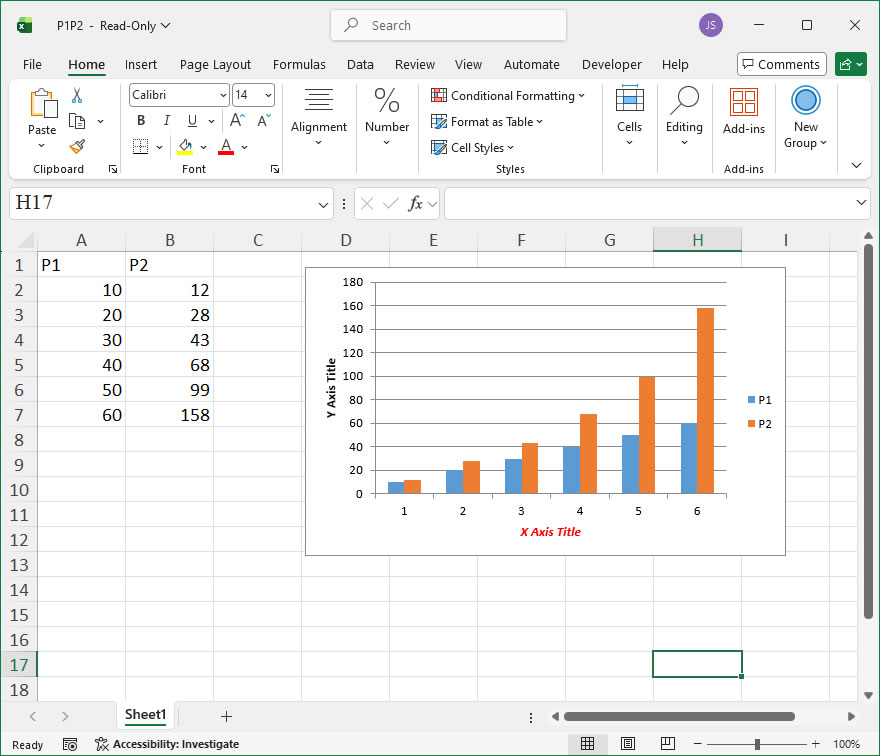
Leave a Reply